BioFlow / Apps

Get BioFlow on the thing you actually use.

The same account, the same pages, the same AI agent — on your phone, on your desktop, and inside the assistant you already talk to. Every plan works everywhere; installing changes how it feels to open, not what it can do.

Download

Pick your platform. Yours is first.

iPhone and iPad

Coming soon
  • Push notifications on your phone when a scheduled page goes live or a new contact comes in — there is no web-push version of this.
  • Sign in with Apple or Google through the system sheet, instead of bouncing out to a browser and back.
  • Opens straight to your dashboard from the Home Screen — full screen, no address bar, nothing to lose in a tab.

Download on the App Store

Android

  • Push notifications through Google Play services, so a page going live or a new contact reaches you without the browser open.
  • Sign in with the Google account already on your phone — one tap, no password and no redirect.
  • Opens straight to your dashboard from the home screen — full screen, no address bar, nothing to lose in a tab.
Get it on Google Play

Mac

Coming soon
  • Notifications in the macOS Notification Center, which a browser tab on the same machine cannot give you.
  • Sign in with Apple or Google through the system sheet, instead of bouncing out to a browser and back.
  • Lives in the Dock as its own window — command-tab to your pages instead of hunting for the right tab.
Download on the Mac App Store

Windows

  • Its own window from the Start menu or taskbar — no tabs, no address bar, no browser to close by accident.
  • Jump-list shortcuts straight to Pages and Analytics from the taskbar icon, without loading the dashboard first.
  • Starts from a cached shell, so it opens fast on a bad connection and shows a real BioFlow page instead of a browser error.
Get it from Microsoft Store

Free to install, free to use on the Free plan. Your subscription — if you have one — is the same account whichever way you open BioFlow.

Coming soon

The Apple builds are with the App Store.

iPhone, iPad and Mac ship together — they are one target, so one review decides all three. Until it clears, their cards above show the badge without a link rather than sending you to a page that does not exist yet.

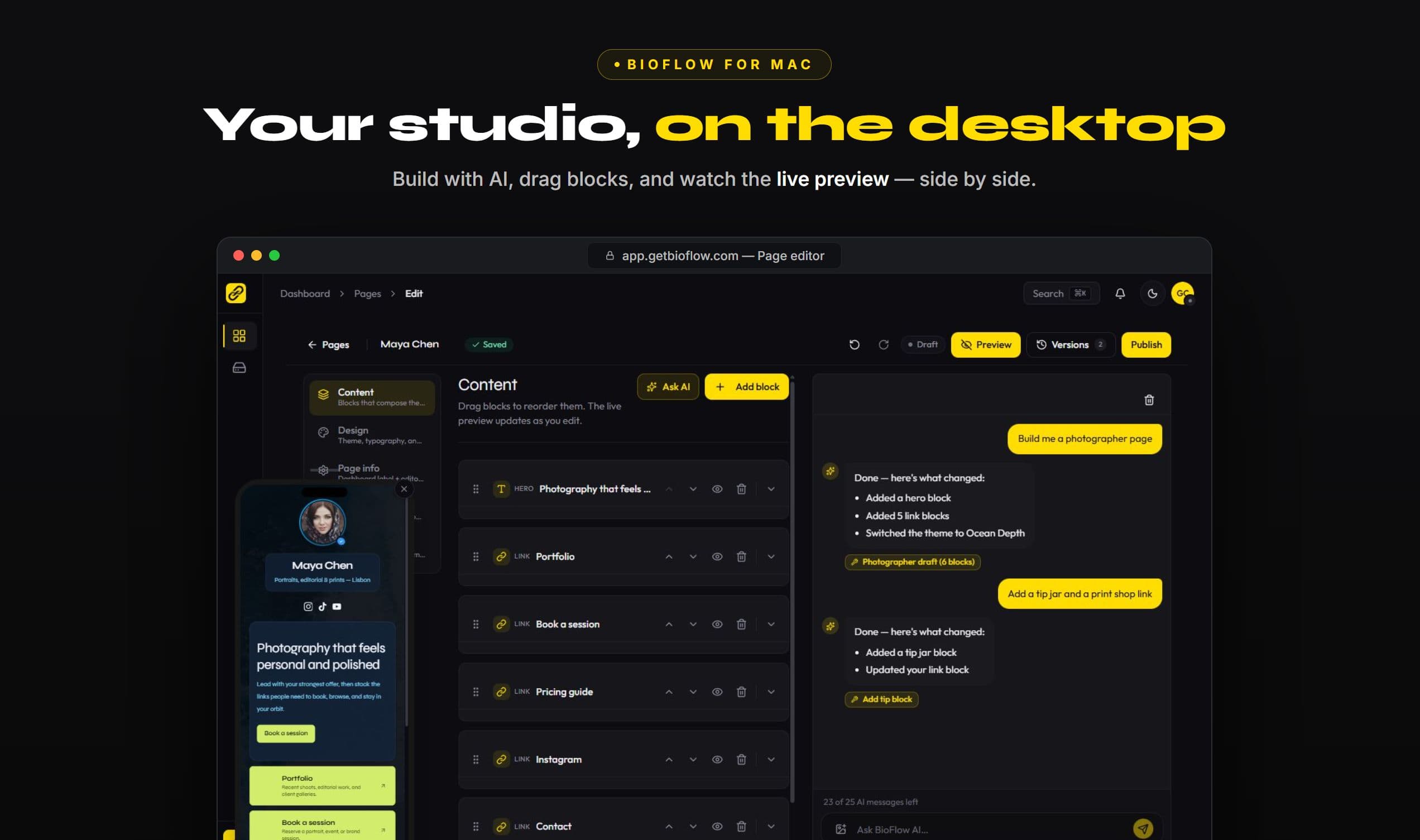
The BioFlow desktop app: the page editor with a live phone preview beside it and the AI agent building a photographer's page.
AI clients

Or skip the app and use your assistant.

One remote endpoint

BioFlow ships a remote MCP server — Streamable HTTP, OAuth 2.1, no local install and no API keys to copy around:

https://app.getbioflow.com/api/mcp

Claude Code

Add BioFlow from your terminal, then sign in when prompted:

claude mcp add --transport http bioflow https://app.getbioflow.com/api/mcp

12 tools, one scope each

Claude, ChatGPT, Copilot, Cursor, MCP Inspector — any MCP client can read your analytics and edit your drafts, and publish only once you have explicitly allowed it. Revoke any app in one click.

What agents can and cannot do →

Set it up in two minutes

The guide has the exact steps per client, the OAuth discovery endpoints if you are building your own, and the full tool and scope reference.

Read the setup guide →

More from Devino

Built by the same people, for the same day.

BioFlow is made by Devino Solutions, which also makes these — shown here because they are for the same creators, marketers, freelancers and founders BioFlow is for.

FAQ

App questions, answered.

Is the BioFlow app free?

Yes. The app is free to install and free to use on the Free plan, the same as the website. Creator and Pro are subscriptions, and your plan is the same whichever way you open BioFlow.

Is there a BioFlow app for iPhone or Mac?

They're on the way — the iPhone, iPad and Mac builds are with the App Store, so their cards say 'Coming soon' rather than linking anywhere. Android and Windows are live today, and on any device you can install BioFlow straight from your browser and get the same home-screen app.

What does the app do that the website doesn't?

Three things. Push notifications when a scheduled page goes live or a new contact comes in, which browsers don't get in BioFlow at all. Sign-in through your phone's own Apple or Google sheet. And it opens straight to your dashboard with no address bar and no tab to lose.

Do I need the app to use BioFlow?

No. Every feature works in any modern browser — nothing is locked to the app. The app is about how it feels to open BioFlow every day, not about what BioFlow can do.

Can I use BioFlow from Claude, ChatGPT or Copilot?

Yes. BioFlow ships a remote MCP server, so any MCP-capable assistant can read your analytics, edit your page drafts and — once you allow it — publish. You connect it with OAuth and can revoke it in one click.

More on BioFlow itself: the full FAQ, the integration directory, and pricing.

Start on the web, install it later.

Create your page in a browser in under a minute — then put it on your home screen, or hand it to your assistant.

Start free — no cardSee the MCP server